FlySys Swiss EFIS
Electronic Flight Instrument System
A masterpiece of precision engineering — made in Geneva.
It keeps you level when you can't see the horizon. A complete electronic flight instrument system (EFIS), uncertified, for experimental aircraft, or as a supplementary instrument in light aircraft: the FlySys display, with a primary flight display (PFD) page and a navigation display (ND) page, and Joran, our own AHRS & Air Data Computer. Joran computes attitude, heading, altitude, position, velocity and the wind on board, in one navigation filter; the display draws them in OpenGL to stay true through the steepest turn.
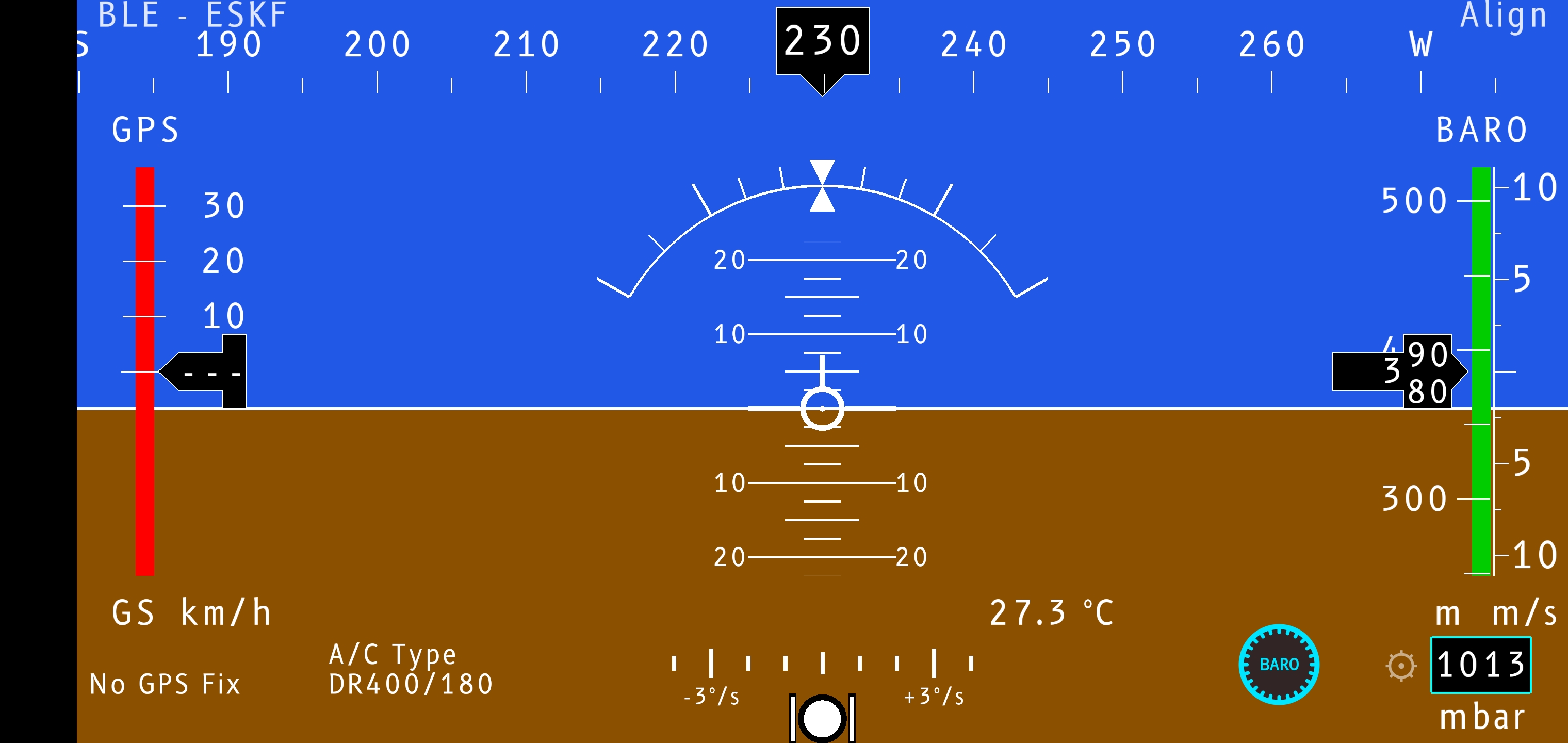
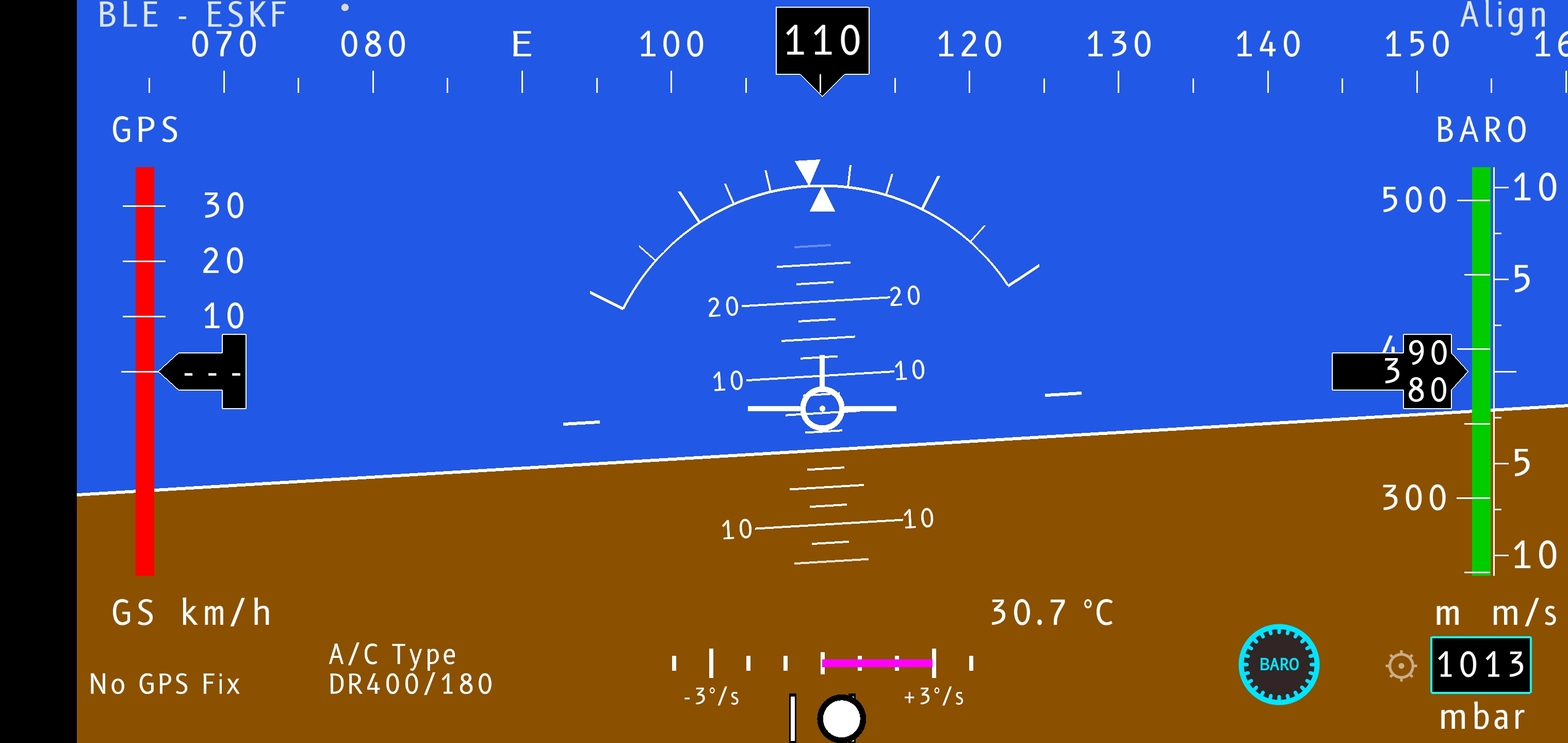
When you can't see the horizon — in cloud, haze or at night — a primary flight display tells you how the aircraft is oriented in the air: how far its wings are banked and how far its nose is pitched, drawn against an artificial horizon. That is the PFD page, the heart of the FlySys EFIS.
An aircraft moves about three axes, all passing through its centre of gravity. The display shows two of them directly on the horizon — roll and pitch — while the third, yaw, reads on the heading scale below.
- 01DisplayThe instruments, zone by zone.
- 02FeaturesThe instruments, where the solution comes from, the data sources and rendering.
- 03EngineeringVibration filtering, the navigation filter, robustness.
- 04CalibrationMagnetometer, accelerometer (6-face) and gyro.
- 05HardwareThe IMU, the device, the system block diagram.
- 06TestingFlight recording, raw-data analysis (Allan, PSD), replay & tuning.
- 07DocumentationRequirements and availability.
- 08ContactQuestions, the IMU hardware, or access to the app.
On the standard path, Joran streams ready-made flight data straight into the renderer — the app computes nothing. The legacy sources keep their display-side processor, and both paths share one rule: the same processing runs live and in offline replay, so the display you fly is exactly the display you can reproduce afterwards from a recorded log.
A self-contained Android application. The display you fly is validated offline against recorded flight logs — identical processing, reproducible result.
| Android version | 7.0 or newer |
|---|---|
| Instrument | Joran, over Bluetooth LE |
| Without the instrument | demonstration: tablet sensors, synthetic flight, replay |
| Graphics | OpenGL ES 3.0 |
| Flight logs | CSV → Documents/PFD/ |
FlySys EFIS is a personal project — two engineers, a father and son, who share a passion for aviation and avionics.
It all began with a search. We looked online for a flight instrument system on Android that we liked, and found nothing that fit — so we built our own. The deeper we went, the more the problem drew us in; this site is our attempt to explain what we made and how it works.
From the start we set one hard constraint: make it work on consumer-grade MEMS (Micro-Electro-Mechanical Systems) — the same inexpensive sensors found in phones and hobby boards, not the stabilised, temperature-controlled units of certified avionics. That makes the problem harder — more noise, more bias drift, more sensitivity to vibration — and more interesting: every degree of accuracy has to be earned in software, not bought in hardware.
We held it to professional standards anyway: adaptive sensor fusion, offline replay that reproduces every recorded flight exactly, and validation against real flight data — with an honest accounting of where the limits lie.